新迅雷7非会员使用办法
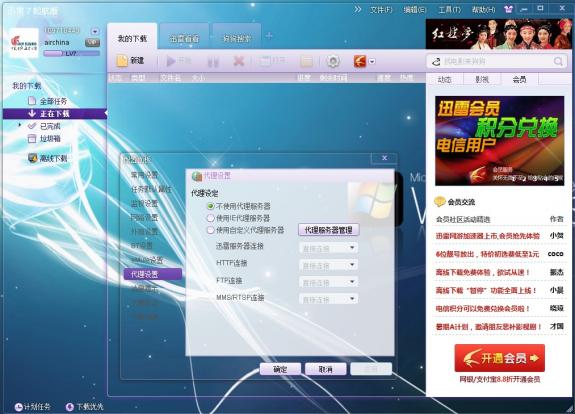
新版迅雷7,色彩绚丽,但是非会员使用异常复杂,下面介绍非会员使用方法经过改良后100%成功案例。
首先下载迅雷7,安装完成之后按照上面要求登陆—— 输入账号密码 ——把登陆改成自动登陆 —–记住密码 —-然后关闭迅雷 —–再次开启迅雷 —–点工具下拉菜单出来(这时候注意不要动) —-登陆成功后—-再点配置 关闭(说错误的对话框) 配置对话框不能关,这样就可以不受限制的使用了。如果不可以再次重启迅雷7即可。
【思维|心智|认知|世界】Pursue Ture happiness and perfection.Learning,Reading,Writing,and Thinking. Here is History and Future.
新版迅雷7,色彩绚丽,但是非会员使用异常复杂,下面介绍非会员使用方法经过改良后100%成功案例。
Comments are closed.
Thanks for all of the work on this web page. My daughter take interest in setting aside time for internet research and it’s really easy to understand why. A number of us hear all relating to the lively medium you offer precious secrets through this website and therefore cause contribution from others about this concern so my child has always been learning a whole lot. Take pleasure in the rest of the new year. You’re the one conducting a dazzling job.
Hello. impressive job. I did not imagine this. This is a fantastic story. Thanks!
Hey, brilliant website. I recently came across this on the internet, and I was extremely content that I would. I will definately be returning here more frequently. Wish I could enhance the info and also bring a tad bit more to the submit, but was just looking at as much facts as I can easily at the moment.
Finding websites with as much information as this one is always a pleasure I wll be sure to come back and visit again real soon, keep up the good work.
Fantastic value blog post! This really the most striking bits of perform the job I’ve go through many years to come. A lot of circumstances blog writers don’t concern to see submit. It’s understandable that you simply. Regards.
What I wouldnt give to have a debate with you about this. You just say so many things that come from nowhere that Im pretty sure Id have a fair shot. Your blog is great visually, I mean people wont be bored. But others who can see past the videos and the layout wont be so impressed with your generic understanding of this topic.
Good day! Do you know if they make any plugins to safeguard against hackers? I’m kinda paranoid about losing everything I’ve worked hard on. Any suggestions?
i love this!
i’m sooo glad you posted this. thanks.
i’m sooo glad you posted this. thanks.
i really appreciate you posting this!